


SMS Digipass for more safety
-
 For even safer transactions
The use of mobile and internet increases the need for additional safety measures in transactions. For this reason, 1bank offers you an additional tool, SMS Digipass.
-
Authenticity verification
SMS Digipass verifies the authenticity of money and other transactions which you perform through any of the 1bank channels, using a One Time Password (OTP).
More information
-
The authenticity of transactions is verified via SMS Digipass through 1bank channels, using a One Time Password (OTP). You receive the OTP through SMS to your mobile phone number. An OTP is generated specifically for each of your transactions, taking into consideration basic transaction data, such as the type of transaction, the beneficiary’s account, the currency, the amount etc.
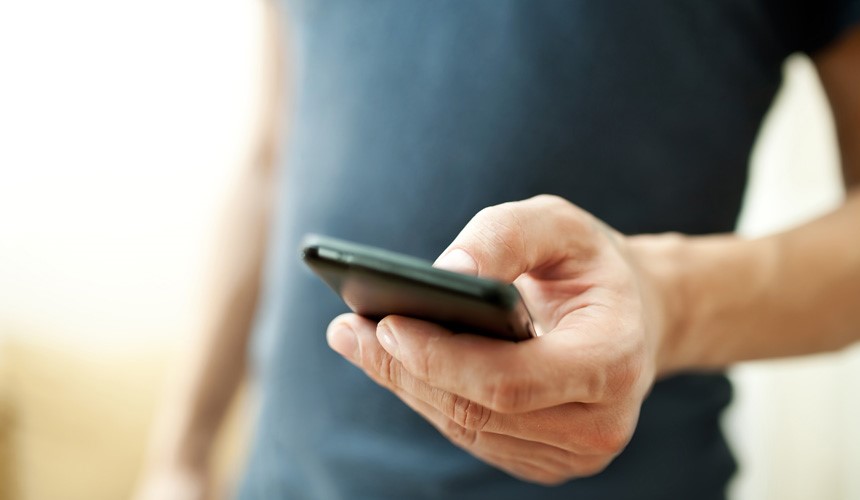
More specifically, following purchase and activation of your SMS Digipass, upon submitting each of your transactions through any of the 1bank channels, if the transaction requires the usage of an OTP, you receive an SMS message on your mobile phone number (the phone which is maintained in the Bank’s records). The message contains the OTP and the basic data of the transaction (the basic data is proof that the OTP you have received is associated to your transaction). You must then enter this OTP in your transaction, to complete it.
-
The message sent per OTP is done via SMS. Consequently, in case the Bank does not maintain the correct mobile phone, you should arrange to correct it through any Bank Branch or through the Mobile Banking App in case you still have access to your previous mobile number as the transaction requires the use of Digipass.
-
The purchase cost of SMS Digipass is €10. However, if you have a Quick Account, you may get it at no cost.
-
- It is used for money and other transactions (transfers, payments etc.) in combination with your User ID and Passcode. Cannot be used for login to 1bank Internet or Mobile banking App or for instructions sent by fax.
- The OTP provided is unique per transaction and is generated by taking into consideration basic transaction data, which offers enhanced security for your transactions through 1bank.
- The OTP is sent via sms to your mobile phone number which is maintained in the Bank’s records.
-
Individual Subscribers can apply for SMS Digipass through the 1bank Internet & Mobile Banking App. On the Internet Banking select "Products & services > Digipass > Get new". Through the Mobile Banking App, from the Menu, tap on “Security & Digipass > View current or get a new digipass > Purchase a new Digipass”.
-
For the purchases through 1bank Internet Banking and Mobile Banking App, you can proceed with activation as below:
- Through Internet Banking, click on the option "Products & services > Digipass > Activate/Switch".
- Through Mobile Banking App, from the Menu tap on “Security & Digipass > View current or get a new digipass > Activate Switch your Digipass”.
In case the application was submitted via a Bank of Cyprus Branch, the activation needs to be done from the Call Centre.
-
The function is also available for Business Subscribers who already owned Digipass SMS or Digipass APP. Business Subscribers who aren’t Digipass holders can apply only by submitting a paper application at any of our branches.
For the application, click here.
-
- Connect through 1bank via Internet or Μobile Banking App, or through the Call Centre and provide the details of your transaction.
- The system will ask you for a Digipass code (where required, e.g. if the transfer concerns transfers to third parties).
- You will receive an SMS message on your mobile phone number which will include the OTP and the basic transaction data.
- Enter the OTP on your screen and click on “Confirm”.
- Repeat this process each time you carry out a new transaction.
Note: Once you purchase and activate a Digipass SMS or Digipass APP, it automatically becomes the default for your current subscription. At any time, you can switch to another Digipass you own as below:
- Through Internet Banking click on the option "Products & services > Digipass > Activate/Switch".
- Through Mobile Banking App, from the Menu tap on “Security & Digipass > View current or get a new digipass > Activate Switch your Digipass”.
- Or by calling the Call Centre.
The existing access and daily transaction limits applicable to your subscription will not be altered.
800.00.800
+357 22 128000 from abroad Monday to Friday, 07:45 - 18:00 Saturday and Sunday 9:00 - 17:00Find your nearest Branch
Or use one of our ATMs for your everyday transactionsForgot your logon credentials?
Unlock your subscription